

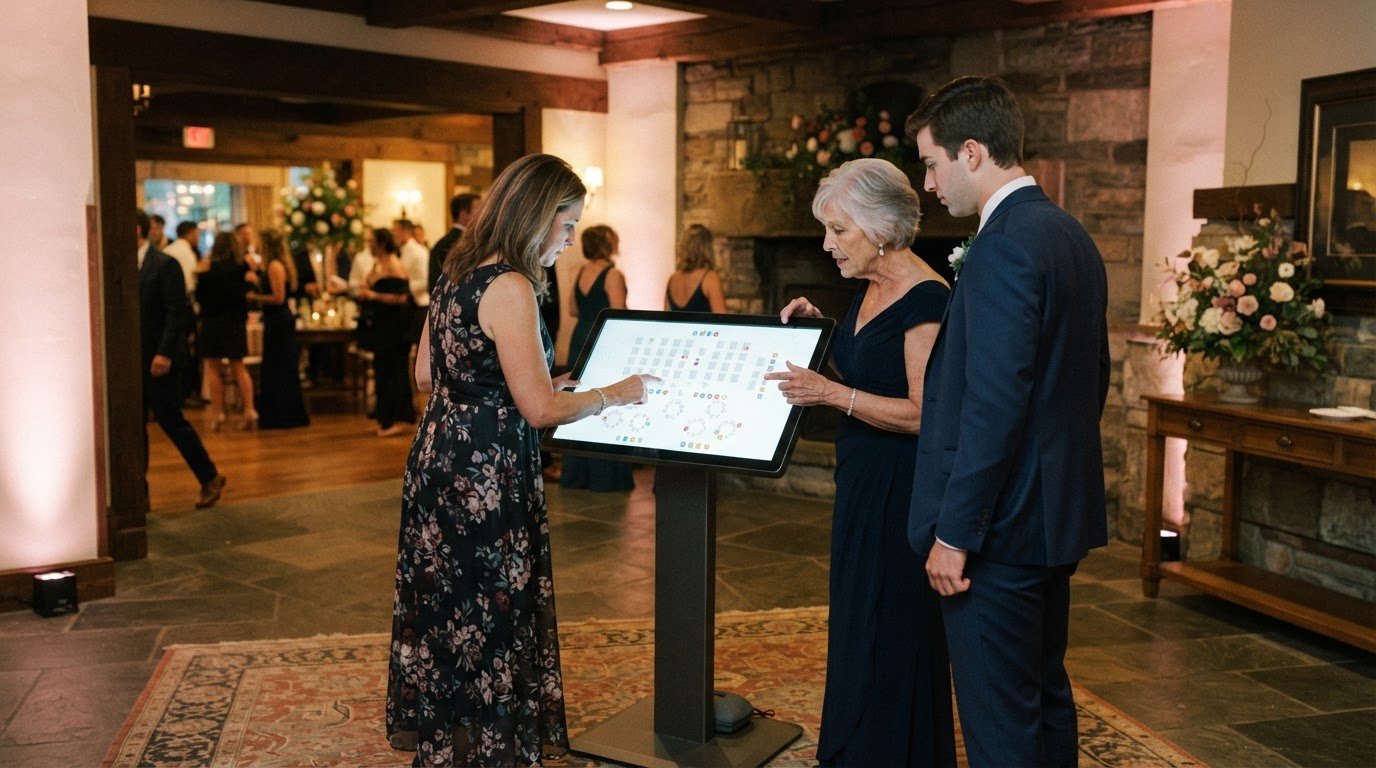
Yes, you can pair a digital wedding seating chart with a physical display, so guests can find their tables in the way that works best for them. A professional can create and edit the layout, share it by QR code, and prepare it for screen display or printing. You’ll learn how the process works and what goes into making a clear, guest-friendly seating plan for your celebration.
Key Takeaways
- Choose an alphabetical or table-by-table guest list format to help guests find their seats.
- Learn how a professional can update the layout and prepare versions for screens or printing.
- See how QR codes can give guests a quick way to view their table assignments.
- Understand the steps behind arranging a clear seating plan that fits your celebration.
Guest list size and mobile editing support provided by a seating chart professional
A seating chart brings guest names, table assignments, and updates into one guest-facing plan. For a larger wedding, clear ways to look up names can help guests find their seats smoothly.
Guest Imports and RSVP Sync
A seating chart professional can organize your guest list and table assignments, then revise the layout as you provide updates. That way, the chart reflects the latest names and attendance details rather than an earlier draft. Review the list for unanswered RSVPs, duplicate entries, and guests who still need a table assignment.
Updates matter close to the celebration, too. The chart can be edited at 8 AM on the wedding day, before guests arrive. Mobile editing support gives the professional a way to apply a late change without rebuilding the full layout. For privacy, keep the guest-facing list focused on names and table assignments, not personal contact details. If access uses a passcode, share it with the people who need the chart.
Alphabetical and Table-Based Listings
An alphabetical list helps guests find a name quickly, while a table-based list groups guests by their assigned tables. A professional can prepare either format around your layout and the way guests will approach the display. Consider whether guests are more likely to search by their own names or look for a table group.
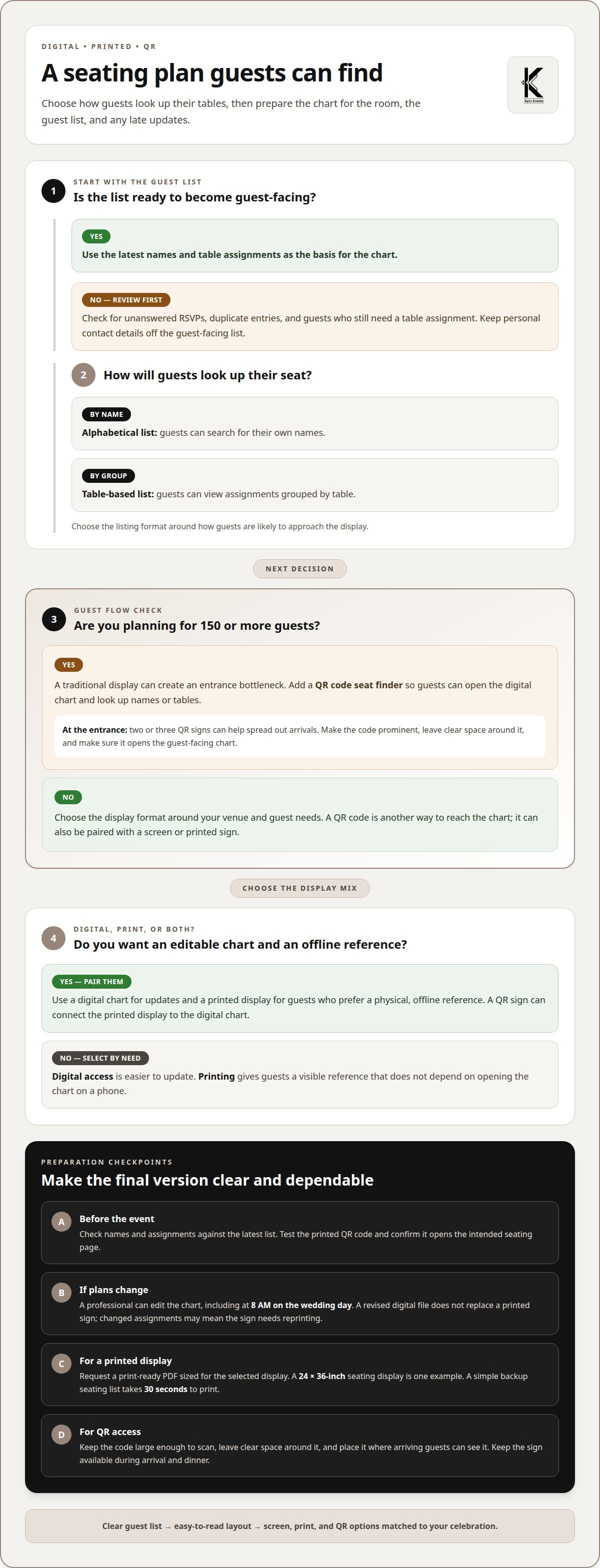
For weddings with 150 or more guests, a traditional display can create an entrance bottleneck. A QR code seat finder gives guests another route: guests scan the code, open the digital chart, and look up their names or tables. A digital seating chart can make it easier for guests to find their assigned seats. Keep the screen easy to read, and make sure the code leads directly to the guest-facing chart. That way, guests can find their seats without crowding around a single printed list.
Having a professional prepare your layout for display and printing
A digital chart is easy to update, while a printed display gives guests a physical sign to consult. Pair the two with a screen display for the chart and a printed backup for guests who prefer it.
A seating chart professional can shape the guest list into a layout suited to your venue and display. They can prepare a large-format design, check that names and table assignments are readable, and create a separate QR sign. For example, a 24 x 36-inch seating display can make the chart visible near an entrance.
For printing, request a print-ready PDF prepared for the selected display size. A professional can arrange the names, table labels, and spacing, then provide a file you can download or send to a printer. Before finalizing, the professional can review the layout against the latest guest list so a name change doesn’t carry into an outdated version.
Printing and reprint costs depend on the display’s size, material, and whether the guest list changes after production. A revised digital file can be prepared without replacing the printed sign, but the sign itself may need reprinting if assignments change. A simple backup seating list takes 30 seconds to print, giving guests another way to locate their tables.
A QR sign connects the physical display with the digital chart. A professional can prepare the code and place it in a clear, guest-facing design. For a large guest list, two or three QR code signs near the entrance can help spread out arrivals. Keep the code prominent and pair it with a short instruction, such as “Scan to find your table.”
Choose the format around your venue and guest needs: digital access is easier to update, while printing offers a visible, offline reference. A professional can coordinate both through digital seating chart display planning.
How a QR code seating chart works
A QR code connects a printed sign to the digital seating chart. Guests open their phone’s camera, scan the code, and follow the link to find a name or table. For example, a sign beside the reception entrance can direct guests to the seating page before they enter the dinner space.
Prepare the QR code for the correct chart and make sure it is easy to scan. Pair it with clear wording, such as “Scan to find your seat.” Before the event, test the printed code and its destination, then confirm the chart shows the final guest list and assignments.
Access duration is about matching the sign and chart to your event schedule. Keep the QR sign available during guest arrival and dinner, when people may need to look up assignments. If seating changes later, the professional can update the chart guests reach through the code. After guests no longer need seating information, the sign can be removed.
Choose signage that suits the room without obscuring the code. A welcome-table sign places it near the entrance, while a freestanding sign can point guests toward the reception area. If guests arrive by different routes, place signs near each entrance. Make the QR code large enough to scan and leave clear space around it.
A template can help the sign’s message and design match your other wedding materials. Keep the layout simple, add the event wording, and place the code where guests can find it easily. Photos and decorative details can add personality, but shouldn’t crowd the code or instructions.
Before printing, scan the finished sign and confirm that it opens the intended seating page. This catches a misplaced code or outdated destination before guests arrive. Pairing a printed QR sign with an online chart gives guests a clear starting point and a convenient way to look up their tables.
Creating and arranging a digital seating chart
A seating chart professional can turn your guest list and table assignments into a clear layout. The process includes organizing names, arranging tables, reviewing the plan, and preparing the final chart for guests.
First, the professional works from your latest guest list and the table groupings you provide. They organize names, assign each guest to the correct table, and flag missing or unclear assignments for your decision. For example, a couple can identify a family group that should sit together before the layout is finalized.
Next, the professional arranges the chart so guests can locate information without scanning every table. An alphabetical name view supports searches by guest name, while a table view groups assignments together. A clear title, readable names, and consistent table labels help guests find their seat, even when they arrive with other guests.
Review is part of the process. The professional checks the guest-facing version against the latest assignments and corrects duplicate names or misplaced tables. You can provide any approved changes, such as a guest moving from Table 4 to Table 7, and the professional can update the layout before sharing it.
When choosing a professional for digital wedding seating chart tools and displays, look beyond the screen design. Consider whether the process covers guest-list organization, table assignments, revisions, and preparation for guests to view the chart. The goal is a clear layout that matches your event details.
Before the chart is shared, a professional can review how it appears on a phone and on the event display. They can also coordinate the digital layout with a printed version, so the names and table labels stay consistent. A final review catches simple mix-ups before guests arrive.
For help arranging a guest-friendly seating plan, get professional seating chart support.
KproEvents: Digital Seating Chart Concierge and Screen Displays
KproEvents offers Digital Seating Chart Concierge and Screen Displays for couples who want guest assignments presented as part of their celebration. The team can help bring your seating layout to life on a screen, with digital access for guests looking up their tables.
This service can suit an event where the guest experience and room details are planned together, rather than treating the seating chart as a separate task. KproEvents also offers Bilingual MC and DJ and MC service, coordination services, plus lighting, to help connect the details of your celebration.
Share your seating-chart plans with KproEvents and book a consultation to discuss the support you want for your celebration.
Shape a smoother welcome for your guests
Your seating plan is part of the welcome guests experience when they arrive. A thoughtfully arranged digital wedding seating chart can make the transition from arrival to celebration feel clear and personal. Choose a display approach that suits your wedding, then let the seating layout support the atmosphere you want to create.
KproEvents offers Digital Seating Chart Concierge and Screen Displays, alongside Bilingual MC, DJ and MC service, coordination services, and lighting. Kenny and Kendrie bring the perspective of a husband-and-wife team who understand wedding planning from both sides. Their event support can connect guest seating with the rest of your celebration.
If you’re ready to talk through your wedding plans, contact KproEvents to discuss your wedding. Here’s to a warm welcome and a joyful day shared with the people you love!
Frequently Asked Questions
Can You Combine Digital With a Physical Display?
Yes. A digital chart can work alongside a printed display, giving guests a screen or sign to consult as they arrive. For example, a printed welcome display can direct guests to a digital version, while a separate printed list provides a quick reference inside the reception space. Guests can also search on their phones if they prefer.
What is a digital wedding seating chart?
A digital wedding seating chart is an online version of your guest seating plan, showing names and assigned tables. Guests can look up their assignments on a phone or view the chart on an event screen. For example, they can search for a name instead of scanning a long printed list. Couples and planners can update the layout as wedding details take shape.
How much does a professional digital wedding seating chart service cost?
The cost depends on the work involved, such as organizing assignments, preparing screen displays, and creating materials for printing. KproEvents offers Digital Seating Chart Concierge and Screen Displays for celebrations. Share the display format and support you want when discussing your event, so the requested work is clear and can be tailored to your plans.
How does a professional create a digital wedding seating chart step by step?
A professional starts with the guest information and table assignments you provide, then arranges the names in a guest-friendly format. They review the layout for clear labels, consistent table names, and missing assignments. Next, they prepare the version needed for your event, such as a screen display. You approve the seating details before the finished chart is shared with guests.
Can guests view a digital seating chart on their phones without an app?
Yes, guests can view a chart on their phones without downloading an app if the QR code opens a browser-accessible page. They scan the sign with their phone camera, then use the page to find their assignment. Add a short instruction beside the code and place the sign where arriving guests can see it.
How does a professional import guest lists and manage last-minute seating changes?
Use the guest list you provide to organize names and table assignments in the chart. For a late change, send the updated name and table assignment so the relevant entry can be revised. If a guest moves to another table, make sure the chart shows the new assignment before guests use it.
